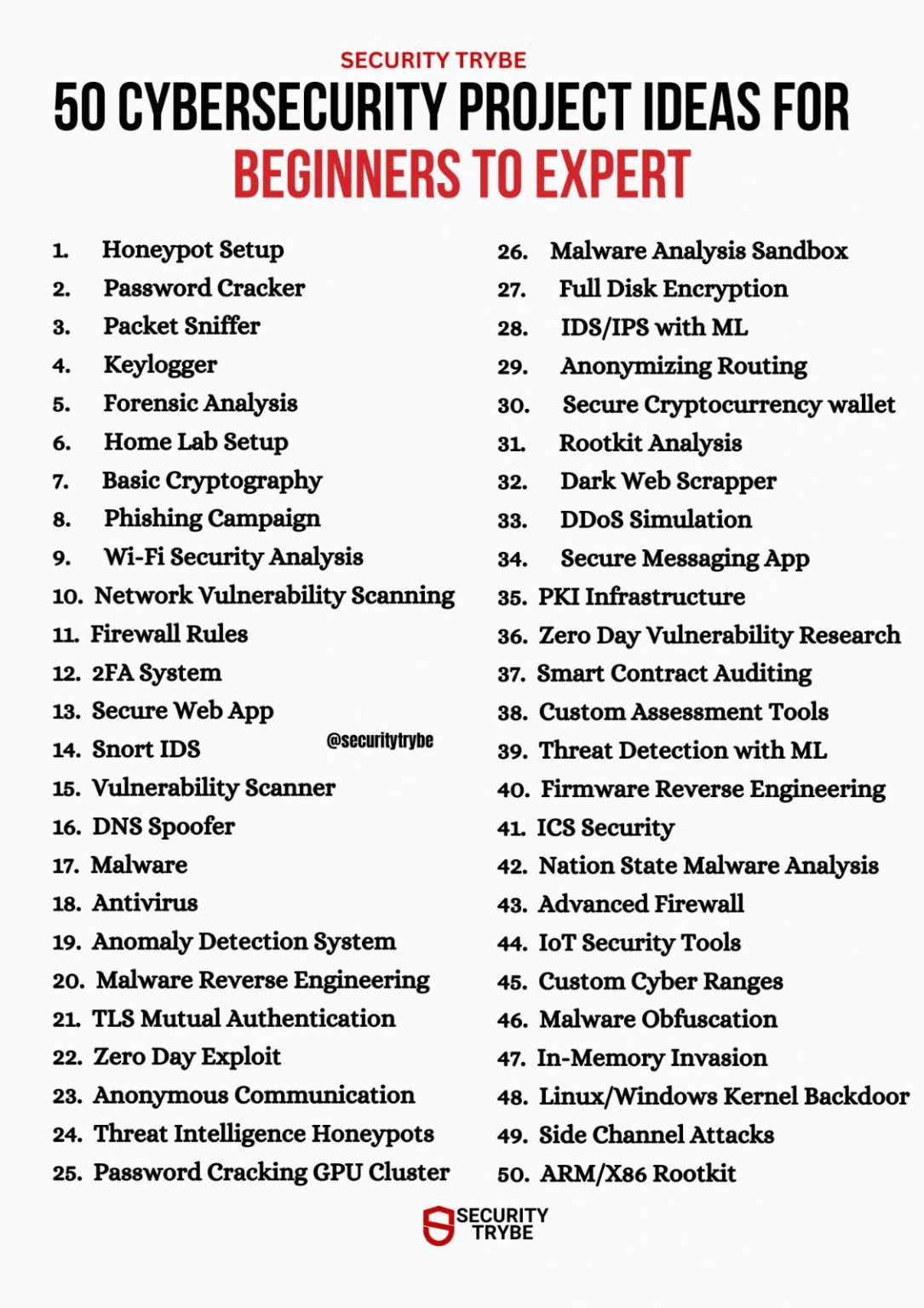
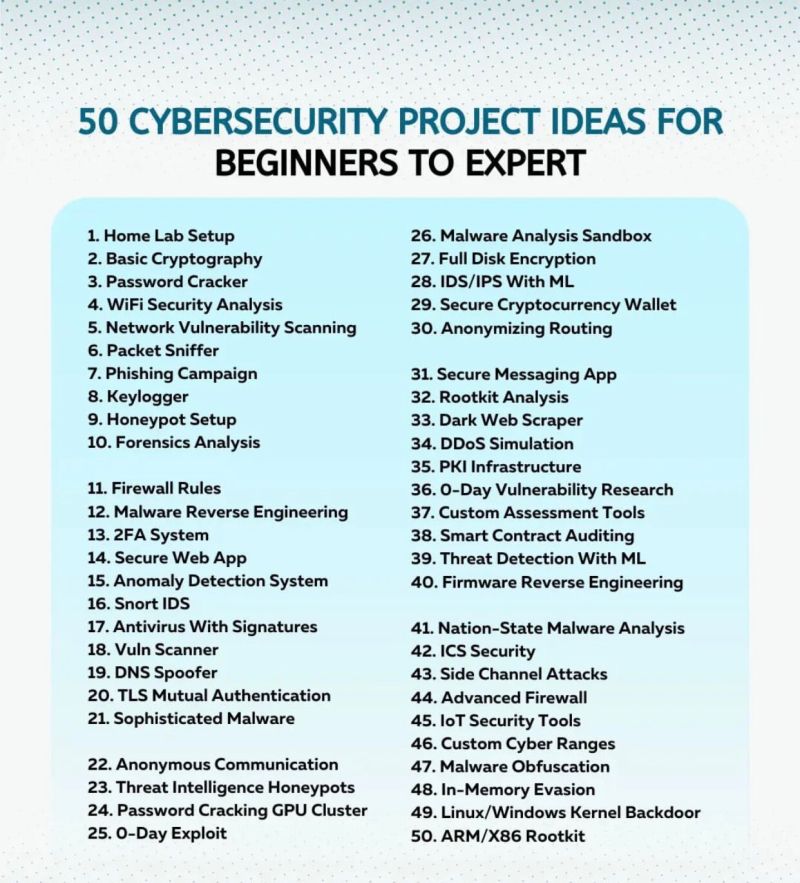
Beginner Cyber Security Projects
1. Text Encryption Using Various Algorithms
Introduction: This project focuses on using methods like AES, DES, and RSA to encrypt text. You'll get hands-on experience with cryptographic techniques to make text data secure and understand how these tools work in real-world applications.
Tools Used
You'll need a code editor and cryptography libraries to get started.
Skills Acquired
This project builds your understanding of cryptographic algorithms and encryption techniques.
2. Keylogger Software
Introduction: In this project, you'll create a keylogger to capture keystrokes for monitoring purposes. It's an opportunity to learn about keylogging techniques and how to use them securely and ethically, with uses in security monitoring and parental control.
Tools Used
You'll need a code editor and system access for testing your software.
Skills Acquired
You will gain an understanding of keylogging and its ethical considerations.
3. Image Encryption
Introduction: This project is all about encrypting images to protect sensitive visual information. You'll learn how to apply encryption methods to different types of data beyond just text, which is useful for securing confidential images.
Tools Used
You'll require a code editor and some image datasets to work with.
Skills Acquired
The main takeaway is a solid understanding of image encryption and how to handle binary data.
4. Password Strength Checker
Introduction: This project involves creating a tool to check how strong a password is by looking at its length, complexity, and how random it is. It helps people learn why it's important to use strong passwords to keep their systems safe.
Tools Used
| Tool | Usage |
|---|---|
| Python | Used for scripting and automating cybersecurity tasks. |
| JavaScript | Used for web security testing. |
| Regex | Used for pattern analysis and parsing text. |
Skills Acquired
Password Strength Analysis, Secure Coding Practices, Regular Expression (Regex) Usage, and Python Scripting for Automation.
5. Secure Login System
Introduction: This project is about building a secure system to check a user's identity before letting them access a system. A key feature is adding Multi-factor authentication (MFA) to make it much harder for attackers to get in.
Tools Used
| Tool | Usage |
|---|---|
| Flask | A lightweight Python framework for backend development. |
| Twilio API | Used for sending One-Time Passwords (OTPs) to make user authentication more secure. |
Skills Acquired
Multi-Factor Authentication (MFA) Implementation, Flask for Backend Development, Twilio API Integration, and Secure User Authentication Practices.
6. Basic Malware Analysis
Introduction: Malware is malicious software that can harm or get unauthorized access to your computer. This project involves setting up a safe, controlled environment (a "sandbox") to study how malware works without putting your own system at risk.
Tools Used
| Tool | Usage |
|---|---|
| VirtualBox | Used to create isolated environments for safe malware analysis. |
| Wireshark | Helps in monitoring network traffic and identifying malicious communication patterns. |
Skills Acquired
Malware Analysis Techniques, Virtualization for Safe Testing, Network Traffic Analysis, and using debugging tools.
7. Secure File Transfer Protocol
Introduction: When you send files over the internet, they need to be secure so that sensitive information can't be stolen. This project teaches you how to transfer data safely from one system to another using end-to-end encryption.
Tools Used
| Tool | Usage |
|---|---|
| OpenSSL | Used for encryption protocols, secure communications, and managing certificates. |
| Python | Used for creating secure scripts and automating encryption tasks. |
Skills Acquired
Encryption Protocols and Techniques, Secure File Transfer Implementation, using OpenSSL for Encryption, and Python Scripting for Automation.
8. Email Phishing Detector
Introduction: Phishing is a common scam where criminals try to steal personal information through fake emails. This project involves creating a program that can spot phishing emails, understand how these attacks work, and identify suspicious email patterns.
Tools Used
| Tool | Usage |
|---|---|
| Python | Used to build, test, and deploy security tools. |
| TensorFlow | A framework used to build and train models for detecting phishing emails by recognizing patterns. |
Skills Acquired
Machine Learning Model Development, Phishing Detection Techniques, Email Security and Threat Analysis, and using TensorFlow for model training.
9. Port Scanner
Introduction: A port scanner helps find open ports on a network, which are common entry points for attackers. This project involves building a port scanner to find these potential weak spots before they can be exploited by hackers.
Tools Used
| Tool | Usage |
|---|---|
| Python | Used for scripting and automating the port scanning process. |
| Nmap | A tool for scanning networks to find open ports and services. |
Skills Acquired
Network Security Fundamentals, Port Scanning Techniques, Vulnerability Identification, and using Nmap for network scanning.
10. Data Encryption Tool
Introduction: Encryption is key to data security. This project focuses on building a tool that can encrypt and decrypt data, helping you understand how to protect sensitive information and keep communication channels secure.
Tools Used
| Tool | Usage |
|---|---|
| Java | Used for implementing encryption algorithms and securing data. |
| Advanced Encryption Standards (AES) | An encryption algorithm used for strong encryption. |
Skills Acquired
Data Encryption and Decryption Techniques, Cryptographic Algorithm Implementation (AES), Understanding of Symmetric Encryption, and Java Programming for Cryptography.
11. Secure Chat Application
Introduction: With so much communication happening online, privacy is essential. This project involves building a chat application with end-to-end encryption to ensure that private messages stay private and can't be read by others.
Tools Used
| Tool | Usage |
|---|---|
| JavaScript | Used for both front-end and back-end development to build the application. |
| WebRTC | Enables real-time, secure communication for voice, video, and text messaging. |
Skills Acquired
End-to-End Encryption Implementation, Real-Time Communication Protocols (WebRTC), Secure Authentication, and JavaScript for Full-Stack Development.
12. Intrusion Detection System (IDS)
Introduction: An Intrusion Detection System (IDS) is a tool that monitors network traffic for any unusual activity that might signal a cyberattack. This project helps you learn about different types of cybersecurity threats by building a basic IDS to create strong network defenses.
Tools Used
| Tool | Usage |
|---|---|
| Wireshark | A tool for capturing and inspecting network traffic. |
| Python | A scripting language used for developing network analysis tools and automating tasks. |
Skills Acquired
Detecting unusual network behavior, designing an IDS, monitoring network traffic for unauthorized activity, and identifying red flags like suspicious logins.
13. Cybersecurity Awareness Website
Introduction: This is one of the simpler cyber defense projects, focusing on educating others about good cybersecurity practices. Many small business owners, for example, don't know how to protect themselves from common threats.
Tools Used
| Tool | Usage |
|---|---|
| HTML | A markup language to structure the website's content. |
| CSS | A stylesheet language to design the look and feel of the web page. |
| JavaScript | A programming language to create interactive content like quizzes. |
Skills Acquired
Designing an informative website, implementing basic cybersecurity concepts, using interactive elements to engage visitors, and web development using HTML, CSS, and JavaScript.
Intermediate Cyber Security Projects
1. Building a Firewall
Introduction: A firewall is like a gatekeeper for your network, stopping malicious traffic. Building and customizing a firewall gives you hands-on experience in protecting sensitive data.
Tools Used
| Tool | Usage |
|---|---|
| Python | A scripting language for customizing the firewall. |
| Iptables | A tool to manage network traffic and set up firewall rules. |
Skills Acquired
- Custom Firewall Design
- Network Traffic Filtering
- Defense Against Unauthorized Access
2. Honeypot Setup
Introduction: A honeypot is a decoy system designed to attract cyber attackers and study their behavior. Setting up a honeypot helps you understand attack techniques, monitor malicious activity, and improve your defensive strategies without risking real assets.
Tools Used
| Tool | Usage |
|---|---|
| Kippo / Cowrie | Open-source honeypot software for simulating SSH services and logging attacker activity. |
| Honeyd | Creates virtual hosts to simulate different network services and operating systems. |
| VirtualBox / VMware | Used to create isolated environments for safe honeypot deployment. |
Skills Acquired
- Honeypot Deployment and Configuration
- Attack Monitoring and Analysis
- Network Security Research
- Incident Response Preparation
3. Vulnerability Scanner
Introduction: Finding and fixing vulnerabilities before attackers can use them is crucial for system security. In this project, you'll learn how to build a tool that scans web applications for common threats like SQL injections and cross-site scripting (XSS).
Tools Used
| Tool | Usage |
|---|---|
| Burp Suite | A tool for testing web vulnerabilities. |
| Python | A scripting language for automating scans and other tasks. |
Skills Acquired
- Penetration Testing
- Automated Vulnerability Scanning
- Web Application Threat Identification
4. Web Application Firewall (WAF)
Introduction: Protecting web applications from attacks is crucial. In this project, you'll learn how to build a WAF that filters and monitors HTTP traffic between a web application and the Internet.
Tools Used
| Tool | Usage |
|---|---|
| ModSecurity | An open-source WAF for Apache, Nginx, and IIS. |
| OWASP Core Rule Set | A set of generic attack detection rules for use with ModSecurity. |
Skills Acquired
- Web Application Security
- HTTP Traffic Analysis
- Real-time Threat Mitigation
5. Secure File Storage System
Introduction: In this project, you'll create a secure file storage system that encrypts files before storing them, ensuring that sensitive data is protected.
Tools Used
| Tool | Usage |
|---|---|
| AES Encryption | A symmetric encryption algorithm for securing files. |
| Amazon S3 | A cloud storage service for storing encrypted files. |
Skills Acquired
- File Encryption
- Secure Cloud Storage
- Data Privacy Best Practices
6. Network Traffic Analysis Tool
Introduction: Understanding network traffic is key to identifying potential threats. This project involves building a tool that captures and analyzes network packets to detect anomalies.
Tools Used
| Tool | Usage |
|---|---|
| Wireshark | A network protocol analyzer for capturing and inspecting packets. |
| Scapy | A Python library for packet manipulation and analysis. |
Skills Acquired
- Packet Capture and Analysis
- Anomaly Detection in Network Traffic
- Network Protocols Understanding
7. Incident Response Automation
Introduction: This project focuses on automating the incident response process, allowing organizations to respond to threats more quickly and effectively.
Tools Used
| Tool | Usage |
|---|---|
| SOAR Platforms | Used for automating security operations and incident response workflows. |
| Python | Used for scripting and automating tasks. |
Skills Acquired
- Incident Response Planning
- Automation of Security Processes
- Integration of Security Tools
Expert Cyber Security Projects
1. AI-Based Threat Detection
Introduction: As cyber threats become more sophisticated, this project uses AI to detect threats in real-time, allowing you to stay ahead of attackers.
Tools Used
| Tool | Usage |
|---|---|
| Python | Used for developing and training machine learning models. |
| TensorFlow | A framework for creating and deploying AI models. |
Skills Acquired
- Anomaly Detection
- Machine Learning for Threat Detection
- Real-time Data Analysis with AI
2. Blockchain-Based Identity Management
Introduction: With data breaches on the rise, this project uses blockchain to create a secure and distributed way to manage and verify identities, making it much harder for hackers to compromise data.
Tools Used
| Tool | Usage |
|---|---|
| Ethereum Blockchain | Used for developing smart contracts. |
| Solidity | The programming language used to write smart contracts. |
Skills Acquired
- Blockchain Development
- Cryptography for Identity Security
- Smart Contract Implementation
3. Secure Cloud Infrastructure
Introduction: As more businesses move to the cloud, securing cloud infrastructure is critical. This project involves designing and implementing a secure cloud environment using best practices.
Tools Used
| Tool | Usage |
|---|---|
| AWS / Azure | Cloud platforms for deploying secure applications. |
| Kubernetes | A container orchestration tool for managing cloud resources securely. |
Skills Acquired
- Cloud Security Best Practices
- Infrastructure as Code (IaC)
- Container Security with Kubernetes
4. Advanced Penetration Testing Framework
Introduction: This project focuses on developing a comprehensive penetration testing framework that automates the process of identifying and exploiting vulnerabilities in web applications.
Tools Used
| Tool | Usage |
|---|---|
| Metasploit | A penetration testing framework for developing and executing exploit code. |
| Burp Suite | A web application security testing tool for finding vulnerabilities. |
Skills Acquired
- Penetration Testing Methodologies
- Exploit Development
- Web Application Security
5. Threat Intelligence Platform
Introduction: This project involves creating a threat intelligence platform that aggregates and analyzes threat data from various sources to provide actionable insights.
Tools Used
| Tool | Usage |
|---|---|
| ELK Stack | A set of tools for searching, analyzing, and visualizing log data in real-time. |
| Splunk | A platform for searching, monitoring, and analyzing machine-generated big data. |
Skills Acquired
- Threat Data Analysis
- Incident Response
- Security Information and Event Management (SIEM)
6. Security Awareness Training Program
Introduction: This project aims to develop a comprehensive security awareness training program for employees to mitigate human-related security risks.
Tools Used
| Tool | Usage |
|---|---|
| Articulate 360 | A suite of tools for creating interactive e-learning content. |
| PhishMe | A platform for simulating phishing attacks and training users to recognize them. |
Skills Acquired
- Security Awareness Training Development
- Phishing Simulation
- User Behavior Analytics
7. Incident Response Plan Development
Introduction: This project focuses on creating a comprehensive incident response plan to effectively address and manage security incidents.
Tools Used
| Tool | Usage |
|---|---|
| MS Word | A word processing software used for document creation and editing. |
| Lucidchart | A diagramming application used for creating flowcharts and process maps. |
Skills Acquired
- Incident Response Planning
- Risk Assessment
- Communication and Collaboration